Dmitry LebedevenruWrite to me

03 · AI operating system

Leila AI OS

Six weekly documents a wealth advisor rebuilt by hand — now a pipeline writes them in her voice.

Role
Design, code
Leila AI OS · dashboard
Leila AI OS dashboard: a sidebar of workflows and a list of completed runs

The task

A wealth advisor rebuilt the same documents by hand every week. Now a pipeline writes them, in her voice.

Decisions

  1. 01

    Every job has a door

    Seven workflows in the sidebar: presentations, translations, email templates, marketing strategy, cross-sell training, KYC onboarding, LinkedIn posts. No prompt box to stare at — she picks the job, not the wording.
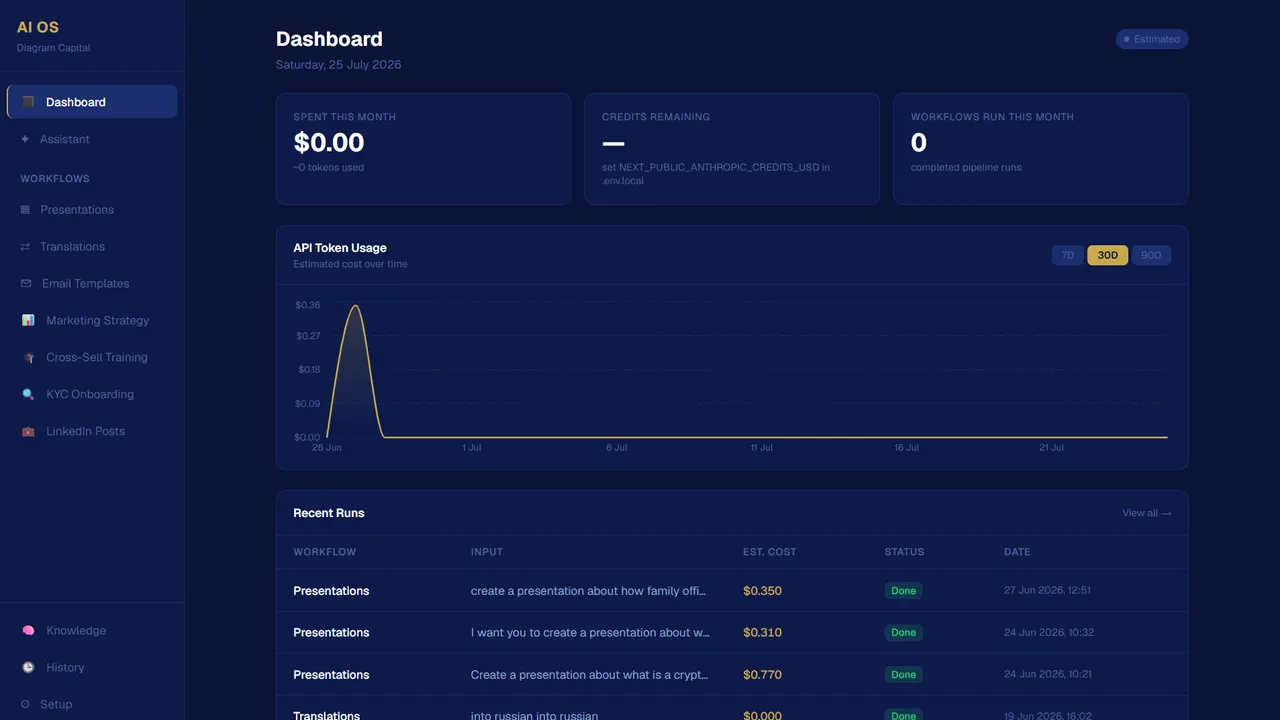
    Leila AI OS · dashboard
    The Leila AI OS dashboard: a navy interface with a sidebar of workflows and a gold accent
  2. 02

    It asks before it writes

    The presentation generator opens with questions — the topic, the audience, the ask, the numbers that stand out — then hands the answers to a pipeline of three agents. One button runs it.
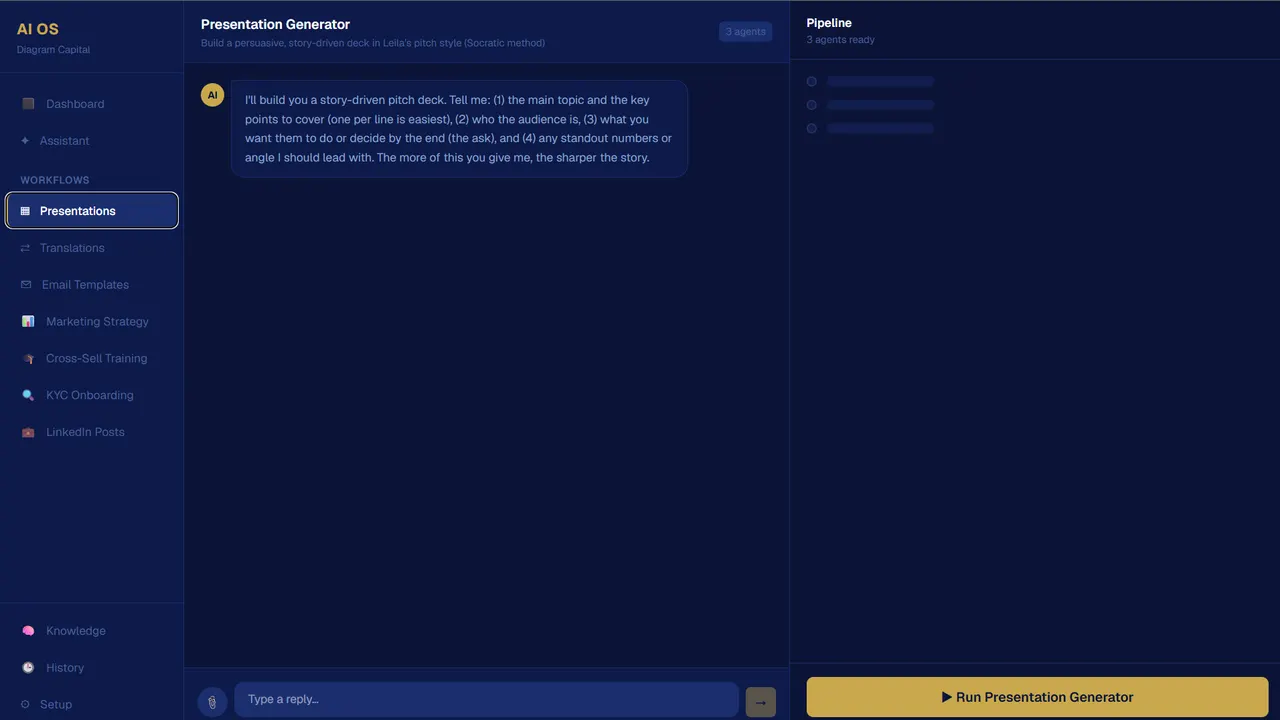
    Leila AI OS · presentation generator
    The presentation generator: a chat asking for topic, audience and figures beside a panel reading “Pipeline · 3 agents ready”
  3. 03

    A correction becomes a rule

    Whatever she corrects is kept as a permanent rule and applied before every run, one set per workflow. The same base holds who she is and the companies she speaks for, which is how the voice stays hers.
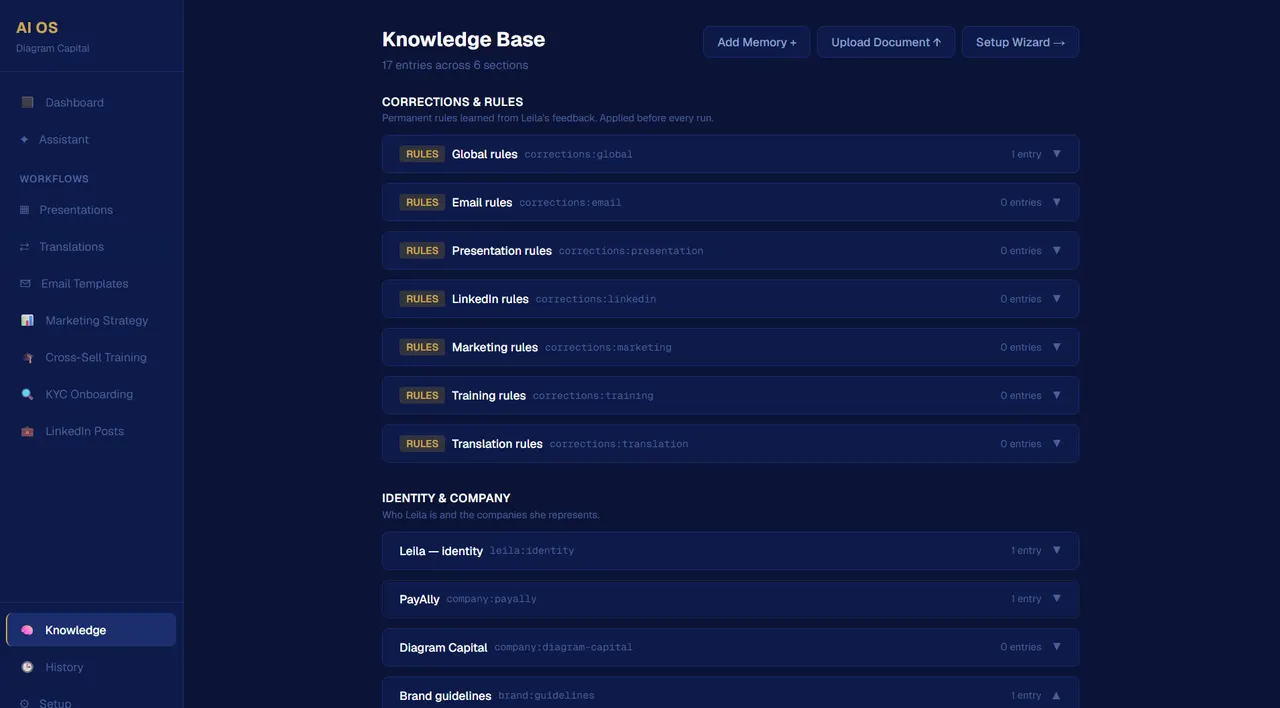
    Leila AI OS · knowledge
    The knowledge base: a “Corrections & rules” section with a rule set per workflow, above a section about identity and company

Where it stands

In daily use.

Let’s build it.

Tell me what you need — I read every message and answer myself.

Or write directly

hello@dmitrydesign.org

A few lines is enough: what it is, who it is for, when you need it.

Start a project

What are we building?

Pick everything that applies.

What budget are you working with?

Rough is fine. Typical ranges are on the pricing page.

When do you need it?

Optional

Anything I should look at?

Optional. Your current site, references, a document. Press Enter after each link, up to five.

    Tell me the rest

    A few lines is enough: what it is, who it is for, when you need it.